Retainers
Single-project-only retainers. Manual, error-prone balance tracking. Widely avoided.
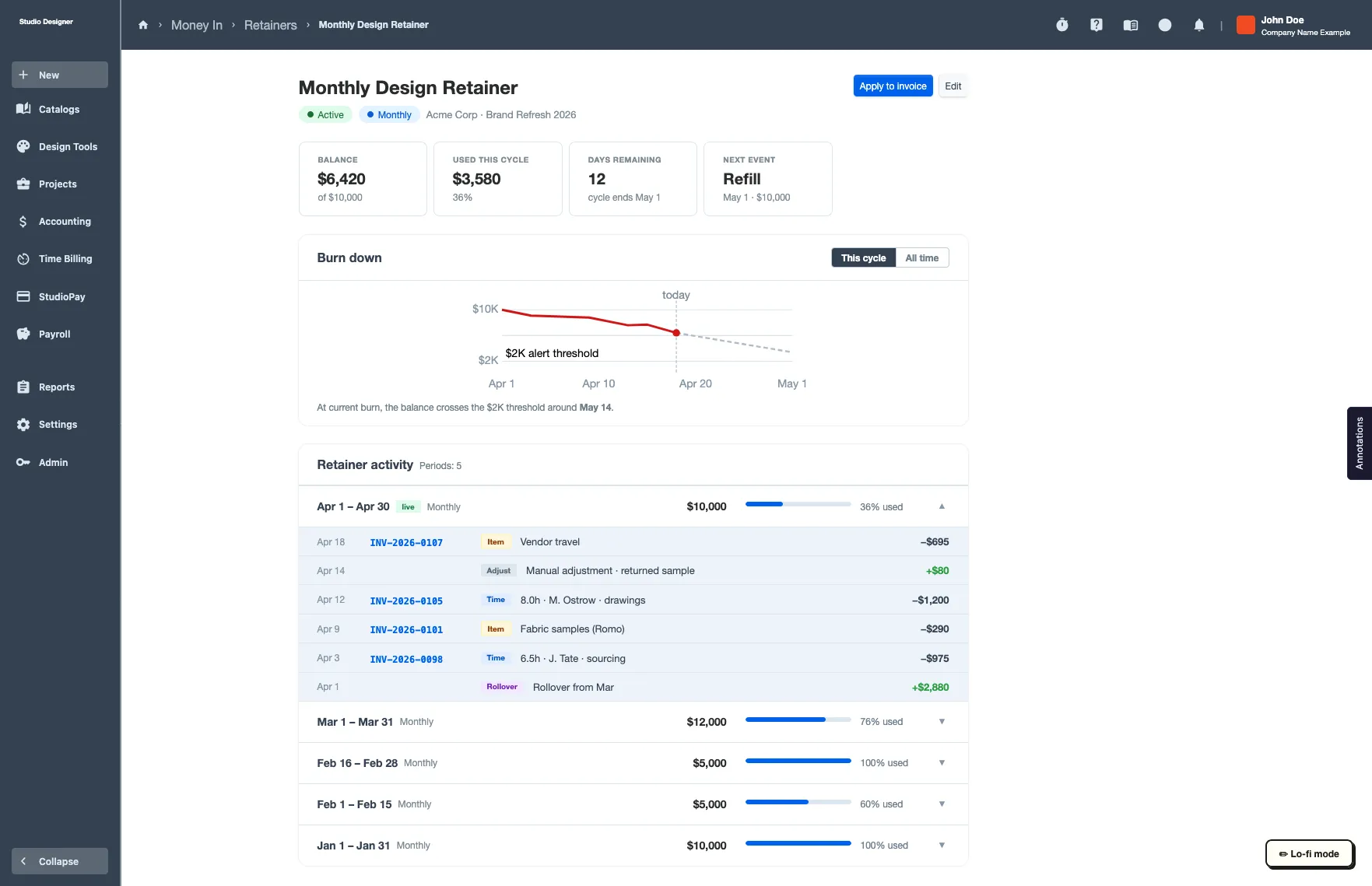
A simplified flow, just a form, an index, a dashboard, prototyped with AI and tested with real users pre-code.
Positive user feedback. Awaiting development.
Context
Retainers was, on paper, a familiar type of problem for me: complex, flexible, and dependent on careful information architecture. What made it different was how I worked: this was the first project where AI tools were a core part of my process, not just polish at the end.
The Business
Retainer billing is a real revenue lever for the agencies using the product: a mismanaged retainer is money left on the table. A clunky retainer experience was also a churn risk, since it pushed users out to other software for something Studio Designer was supposed to cover as a “one-stop shop,” and competitors already handled multi-project retainers well. Getting this right mattered on both fronts, not just because the existing flow was unpleasant to use.
Research
The existing retainer experience was an extremely minimal solution: a retainer could only be scoped to a single client project, so agencies managing one client across several projects had to fake it with workarounds. Tracking a retainer’s remaining balance or usage was manual and error-prone, and plenty of people avoided the feature entirely, tracking retainers outside the product instead.
Rather than auditing that experience directly, I asked people to set it aside and describe their ideal experience: a deliberate way to avoid anchoring research on a broken baseline. I also saw room to push the information architecture further: building it so one retainer could span multiple client projects instead of being scoped to just one.
Where AI Came In
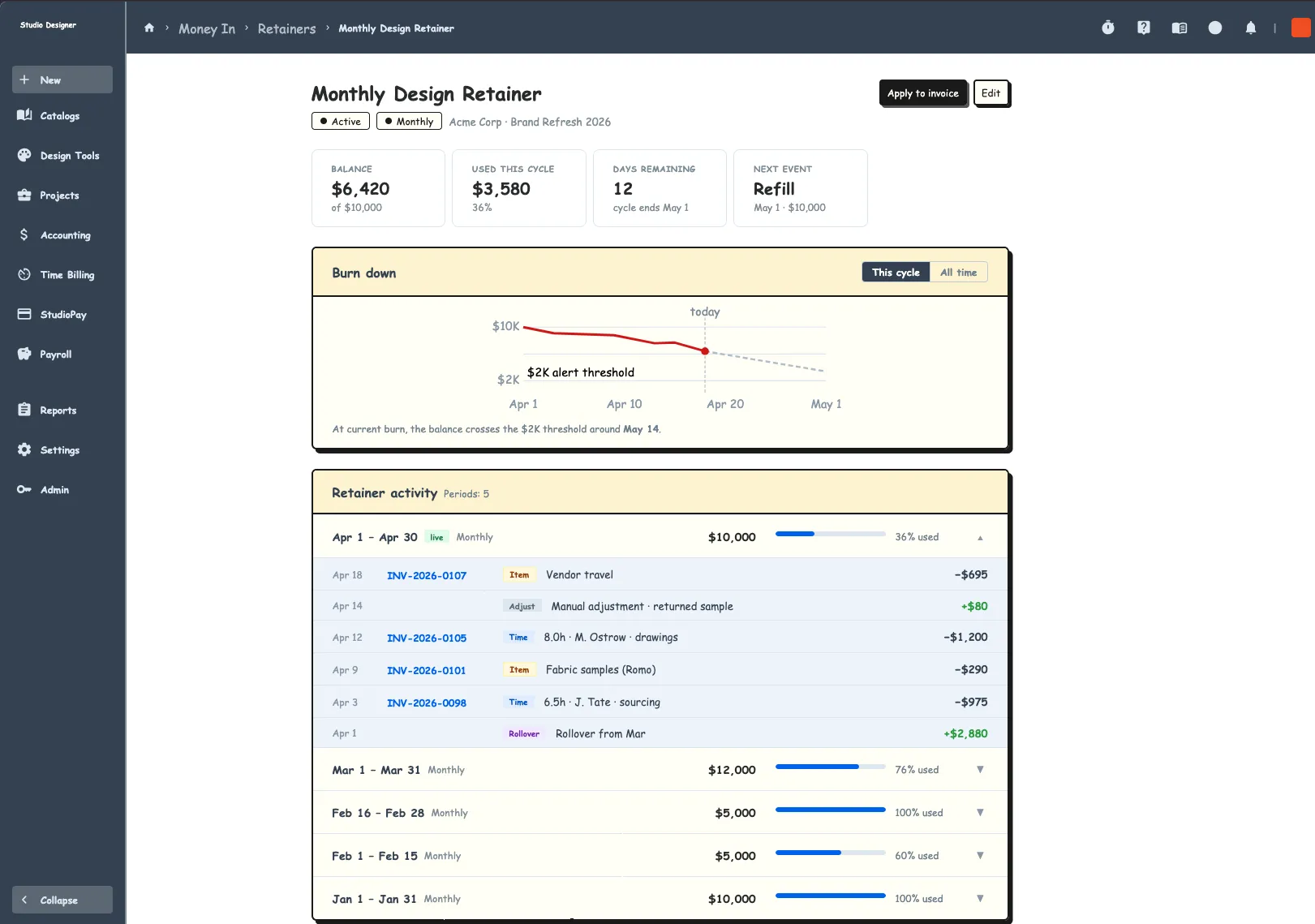
This was my first real use of AI tools in the design process: brainstorming directions, comparing ideas against competitor research, pulling the most useful thinking out of each source. I took it further than most projects by using AI to generate working HTML prototypes, which let me test real interactions with people instead of static mockups.
The Solution
Retainers get complicated fast underneath, so the design leaned hard into simplicity: a form, an index, and a dashboard for each retainer. Reusing existing design system components wasn’t just tidy, it was the constraint: this early in the concept’s life, there wasn’t room to introduce new one-off patterns, so every piece had to compose from what the system already had.
Outcome
The AI-generated HTML prototypes got tested with real users, and the feedback was positive. Currently awaiting development.
Tips for Working With AI
- Keep prototypes low-fidelity on purpose: a prototype that looks too polished convinces people it’s already good
- Use emojis or letters instead of real numbers in placeholder data, so number-driven users judge the flow, not the math
- Use low-fidelity mode on yourself too: have AI push back on a raw brain dump instead of polishing it immediately